
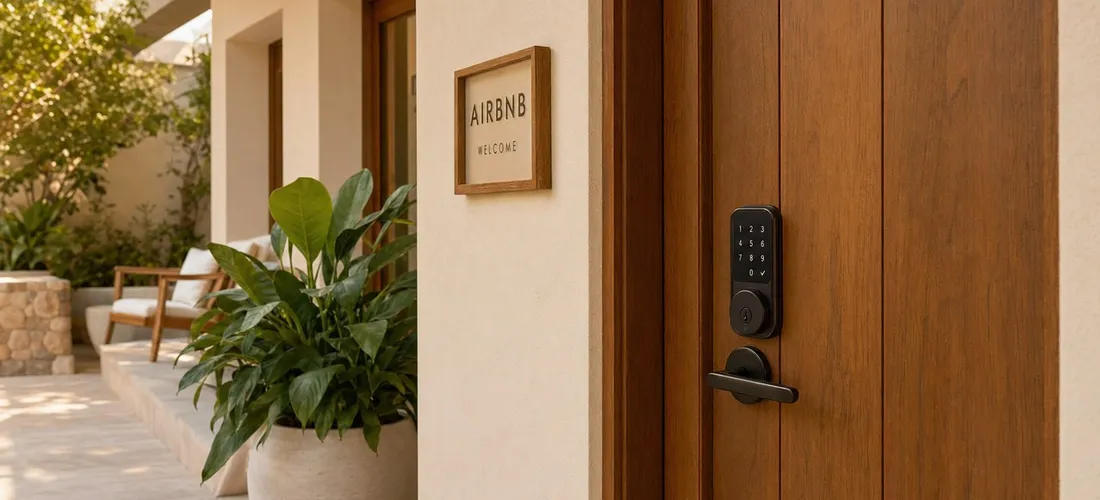
When I first listed my Long Beach property, I handed keys to every guest in person. It felt like good hospitality. Then I had a guest arrive at 11:30 PM after a delayed flight, I drove 20 minutes to meet them, and I knew I needed a better system.
I installed a smart lock that same week. Three years later, it is one of the best decisions I made as a host. My check-in rating sits at 4.9, guests almost never message me about access, and I have not done a key handoff since 2023.
But I have also seen hosts buy the wrong lock, skip setup steps, and end up with more friction than a lockbox. This guide covers what actually matters when picking a smart lock for your Airbnb, the best options right now, and the things most articles skip.
Key Takeaways
- Direct Airbnb integration (Schlage, Yale, August) auto-generates unique guest codes for every booking.
- Listings with connected smart locks average a 4.95 check-in rating.
- WiFi-direct locks are simpler than hub-dependent ones for most single-unit hosts.
- Always have a backup plan. Dead batteries and WiFi outages happen.
- Your lock is only as good as your check-in communication.
What to Look For Before You Buy
Not all smart locks work the same way, and the specs that matter for a guest rental are different from what matters in a primary home.
Unique per-guest codes. This is non-negotiable. You want a lock that generates a different code for every reservation, expires it at checkout, and never reuses it for the next guest. A lockbox code that stays the same for six months is a security liability.
Direct Airbnb integration. Airbnb supports native integration with Schlage, Yale, and August locks. When you connect a compatible lock to your listing, Airbnb automatically creates a unique code for each confirmed booking and sends it to the guest in their trip itinerary. No manual entry, no forgotten messages. Listings using this feature average a check-in rating of 4.95, according to Airbnb’s own data.
WiFi vs. hub-dependent. Some smart locks use Z-Wave or Zigbee, which require a separate smart home hub to get online. Others connect directly to your home WiFi. For most single-unit hosts, WiFi-direct locks are simpler. You have one fewer device to manage and one fewer failure point.
Battery life and low-battery alerts. Look for a lock with at least 6 to 12 months of battery life and push notifications when the battery drops. This one sounds obvious. You would be surprised how many hosts learn about a dead battery from a locked-out guest.
Physical key backup. Every smart lock I recommend here includes a keyed cylinder as a backup. Power outages, WiFi drops, and software glitches are rare but real. Keep a physical key in a lockbox somewhere off the main entrance.
The Best Smart Locks for Airbnb Hosts
Here are the four locks I point hosts toward most often, organized by use case.
Schlage Encode WiFi Deadbolt: Best overall
The Schlage Encode is consistently the top recommendation across host communities, and it is what I use on my main unit. It connects directly to WiFi with no hub required, integrates natively with Airbnb, and supports up to 100 access codes. The physical build quality is excellent, with an ANSI Grade 1 rating, the highest for residential locks. The touchscreen keypad is intuitive for guests of all ages. Battery life runs 6 to 12 months. At around $150 to $200, it is a mid-range investment that pays for itself the first time a guest checks in at 1 AM without needing you.
Yale Assure Lock SL: Best for sleek aesthetics
If you care about the look of your entry, the Yale Assure SL is the most attractive option on this list. It has a slim, touchscreen design with no visible keyway on the exterior (the key override is on the inside). It connects via WiFi and integrates directly with Airbnb. Battery life is around 12 months. One note: the slim design means no backup key cylinder on the outside, so your emergency plan needs to account for that.
August Smart Lock Pro: Best for renters or retrofitters
If you rent your property and cannot replace the entire lock, the August Smart Lock Pro is the right move. It installs over your existing deadbolt interior, keeping the outside look identical. The August Connect bridge adds WiFi, and it integrates with Airbnb’s direct connection feature. The tradeoff is that the retrofit design means guests operate the exterior knob the same way as before. It also tends to be the most finicky of the three when WiFi is spotty.
Igloohome Deadbolt 2S: Best for offline reliability
Most locks require internet to generate and sync new codes. Igloohome uses Bluetooth-generated offline codes, which means the lock operates even when your WiFi is down. The codes are time-based, so they expire correctly without a connection. This is especially useful for properties in areas with unreliable internet. Igloohome does not offer direct Airbnb integration for auto-code generation, so you manage codes manually through their app, but the offline reliability makes it worth considering for the right property.
Direct Airbnb Integration vs. Standalone Operation
Most hosts land in one of two camps: you connect the lock natively to Airbnb and let automation handle code creation, or you manage codes manually through the lock’s own app.
Native integration is the better experience if your property is in the US or Canada and you use a compatible lock. Airbnb sends the guest their unique code as part of the booking confirmation and trip guide. You do not have to touch anything.
If you go standalone, you handle code generation yourself. That means logging into the lock’s app for every booking, setting expiry times, and sending codes manually in your check-in message. It works, but it adds a step to every reservation. I ran my studio this way with a non-integrated lock for about a year before switching, and the manual code setup took five extra minutes per booking that I did not need to spend.
Either way, the guest experience around access should be spelled out clearly. I cover exactly what to include in that message in my guide on check-in instructions for Airbnb, including how to format the door code so guests find it immediately.
What Most Smart Lock Guides Skip
Most roundups stop at “here are the specs.” Here is what I wish someone had told me before I got started.
Your first test should be from the guest’s perspective. After installation, put your phone down, go outside, and check in as if you just arrived. Walk through the code entry, confirm the door locks when you leave, and try the backup key. You will catch problems before a guest does.
Set battery change reminders, not just alerts. Low-battery push notifications are useful, but if you are traveling or busy, they can slip past you. I have a recurring calendar reminder to check and replace batteries at both properties every six months, regardless of the battery indicator. It costs a few dollars and avoids a lockout.
Include the code format in your check-in message. Do not just send the code number. Tell guests exactly what to press: “Enter [code], then press the checkmark button. The lock will beep once and click open.” Even a well-designed lock can confuse a first-time guest at 10 PM with luggage in their hands.
Lock your interior connecting door if you have a multi-unit property. I manage a main house and a studio. Both have smart locks on the exterior. The interior shared space has a standard deadbolt I control. This easy step gets skipped, but it matters for guest privacy and property security.
Document your lock details in your guest welcome materials. Your check-in instructions, welcome book, and house manual should all reference the lock type, the code format, and your backup procedure. If you use a digital or print guidebook for your guests, this is one of the sections that saves the most support messages. My Complete Airbnb Guidebook template includes a dedicated access and check-in section where you fill in your lock type, step-by-step code instructions, and an emergency contact.
The Setup Is Only Half the Work
A smart lock removes the friction of key handoffs. But a lock that guests do not know how to use adds friction right back in. The real win is combining a reliable lock with a clear communication system around it.
When I upgraded my check-in message to include the lock model name, step-by-step entry instructions, and a note about what to do if the code does not work on the first try, my access-related messages dropped by roughly 40%. Guests could handle it themselves.
If you are still using a lockbox or handing off keys, a smart lock is one of the highest-leverage upgrades you can make for under $200. The time you save across a full booking calendar adds up fast, and the check-in experience guests rate will reflect it.